
Tips & Troubleshooting
Tips and Tricks
See What’s On Every Drive
Type DRIVES to list every drive and user area and what is on it.
Commands Work From Anywhere
A: user area 0 is always on the search path. Its commands, such as HELP, DRIVES, MODE and TUTORIAL, run no matter which drive or user area you are in.
CP/M Help Tutorial
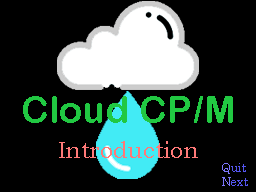
Type TUTORIAL on the A: User Area #0 for a guided tutorial that introduces how to use Cloud CP/M.
Recover From Disk Error
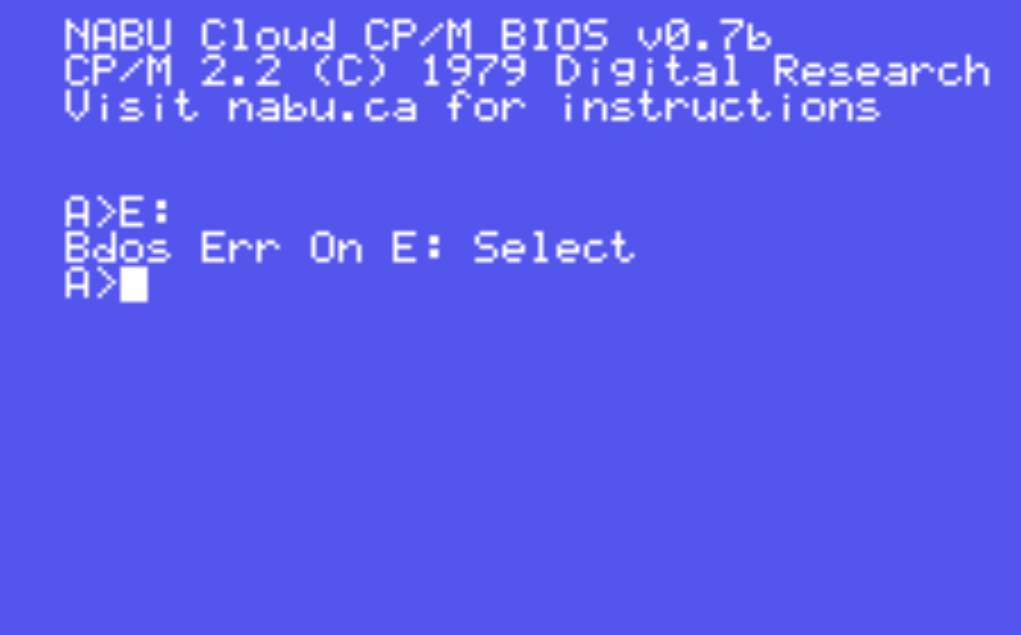
If you receive a disk error in CPM, you can recover by pressing CTRL-C.
HELP
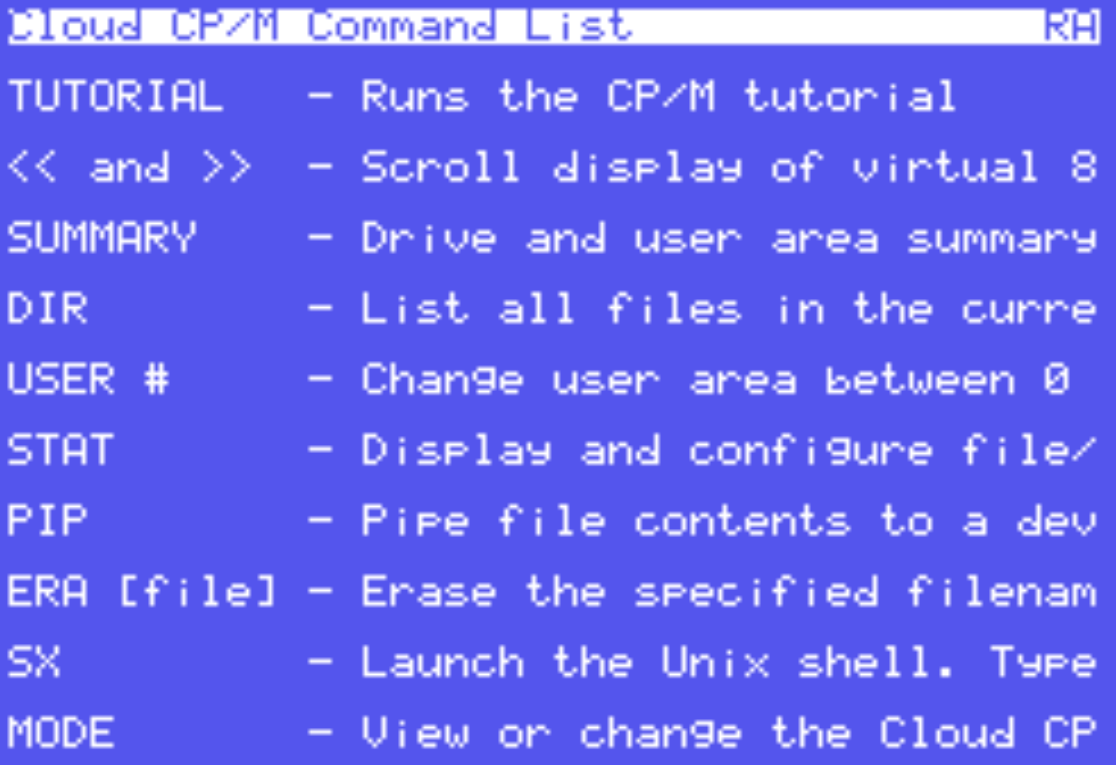
On the A: User Area #0 is a HELP.COM program, which displays a summary of the most common CPM commands.
RetroNET Apps
Take a look on the A: in User Area 1. You will find Games, Telnet, Bad Apple, and RetroNET Chat.
Quitting Basic
It is a mystery to many first-time users how to exit from Microsoft Basic. Many type “bye”, “exit”, “quit”, and “let me out of here”. But the actual command is “system”.
Scroll Virtual 80 Columns
The original CP/M was designed for text-only ASCII terminals, or DUMB terminals. These were 80 column displays, where the NABU is 40 column. Because this will cause issues with rendering software designed for 80 columns, DJ wrote a virtual 80 column driver in his Cloud CP/M BIOS. Use the PAGE UP and PAGE DOWN keys to scroll left/right.
Switch Emulation Modes
Type MODE on the A: User Area 0 to switch emulation modes between VT52 and ADM3a for different programs.
Use built-in Serial Terminal Output
Using Greg’s 8251 hack, you can add an external serial terminal console without any additional hardware. [see how]
Print to the PC’s Storage Folder
By default, the LST: device (printer output) is set to print to the LST.TXT file in the Internet Adapter’s storage folder. This behavior can be changed with the MODE.COM command.
Telnet into CP/M Console
By enabling the RetroNET TCP Server in the Internet Adapter settings, you can telnet to the specified port. Cloud CP/M can be configured to have the input and/or output to the RetroNET TCP Server port. Use STAT to configure devices RDR:=UR1 for input, and CON:=UC1: for output. [example]
Get More CP/M Software
There are several repositories to obtain CP/M Z80 software that will work with Cloud CP/M. I have listed my favorites here. Copy what you download into a drive folder, as described in Your Files.
- Retro Archive (most popular)
- Humongous Archive
- CPM Archives
- z80CPU.eu
Trouble-shooting
Before attempting the troubleshooting steps below, verify that you are using the latest Internet Adapter version.
Receive *ouch* The file is too large!
Your cable is a mess, and it’s so bad that a short or poor connection is causing the NABU to think it is receiving extra bits. The solution is to fix your cable. Perhaps cut the end of a Midi cable and use that rather than soldering to a connector.
A Bdos Err or drive error is displayed
Press CTRL-C to get back to the prompt; it may take a few presses. Cloud CP/M drives are folders in your RetroNET Store folder, so this usually means the Internet Adapter couldn’t reach them:
- Check the Store folder path in the Internet Adapter settings, and that the folder still exists.
- Make sure the Store folder isn’t read-only or on a drive that is disconnected.
- Restart the Internet Adapter. It recreates any missing drive and user area folders when it starts, and its log reports any problem.
My files don’t show up in DIR
- Check the folder. Files must be in
Store\CPM\<drive>\<user area>, for exampleStore\CPM\C\0forC:user area 0. User areas 10 to 15 are the foldersAtoF. - Check you’re in the same place in CP/M: switch drives with
C:and user areas withUSER 0. - Use CP/M-style 8.3 names in UPPERCASE, such as
MYPROG.COM. On Linux and macOS, lowercase names may not open. - Cloud CP/M doesn’t use
.DSKdisk images any more. Copy the files out of old images and into a folder: see Files From Old Disk Images.
Internet Adapter requires a start/stop after rebooting during Telnet or RetroCHAT session
If you are using Telnet or RetroNET and restart the NABU, the Internet Adapter may require the server to be stopped and restarted. This is because the TCP passthrough mode is still enabled and was not correctly exited. When a TCP passthrough program closes, it will send the exit command. But, if the computer is restarted and the program does not have the opportunity to send the exit command, the Internet Adapter will continue in TCP passthrough mode.
The solution is to either...
- Let the application exit as intended, which sends the TCP Passthrough Exit command to the internet adapter. This means not pushing the reset or power button on the NABU PC.
- Stopping the Internet Adapter and starting the Internet Adapter will forcefully exit the TCP passthrough mode.
- Let the NABU send initialization (
0x83) requests to automatically cancel the TCP Bridge. This may take a few extra moments after NABU has rebooted.
Cloud CP/M works on mame but not real hardware
- Fix your cable. RS422 cable is getting interference and might need to be shielded. Connect the shield of the cable to the GND pin on the RS422 adapter. Also, check your solder joints to ensure they are securely connected and not touching the outside plug surround or other wires. An insufficient electrical connection is a bad electrical connection, simple as that.
- Verify the correct baudrate is used for your operating system.
- The RS422 USB adapter may not have the capacity required on a USB HUB or docking station. Docking stations that share HDMI output, specifically multiple monitors or 4K resolutions, may have bandwidth limitations that prevent the RS422 adapter from performing correctly. Ensure the RS422 adapter is connected directly to a computer USB port.