CPPIP / NPPIP / FPPIP - CP/M File Copy Utility
Drive N : User 2 • by intangybles
Created 2026-08-20 • Updated 2026-10-04GitHubA C reimplementation of PPIP v1.8 (D. Jewett III, 1985-1988), a classic CP/M file copy utility. Built with z88dk targeting CP/M 2.2. Adds direct access to the NABU RetroNET Internet Adapter file store (IA:) and the FreHD Hard Disk emulator (SD:).
NPPIP.COM is located on the N: drive in user area 2. To run this, look in the Internet Adapter or Headless menu and select Cloud CPM. After CPM loads and you are presented with an A:0> prompt, type the drive (N:), and then type the user area (user 2). If you type DIR, look for the COM file (NPPIP.COM). Enter that filename at the prompt to execute CPPIP / NPPIP / FPPIP - CP/M File Copy Utility.
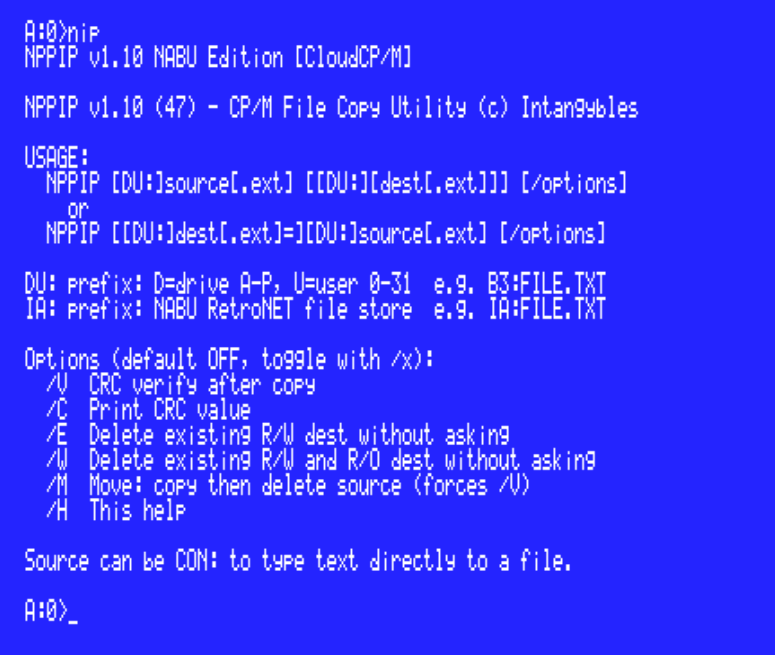
NIP (NPPIP) / CPPIP / FPPIP - CP/M File Copy Utility
NIP -* (NPPIP)* - is already installed in the CloudCP/M system files - NIP is a NABU PC version of the utility.
Original versions and full documentation can found here.
- CPPIP.COM - Standard build. IA: available via /N or on CloudCP/M. SD: compiled in (requires FreHD hardware).
- NPPIP.COM - NABU edition. IA: always active. No SD: code.
Build (78)
What it does
CPPIP copies files on CP/M systems - between drives, between user areas, or any combination. It handles wildcards, CRC verification, move operations, and read-only file protection. The IA: prefix adds direct access to the RetroNET Internet Adapter file store on NABU systems. The SD: prefix adds direct access to files on an SD card via a FreHD hard disk emulator on TRS-80 and compatible systems.
Location
Drive N : User 2
Files (4)
Screenshots