NABU BBS Terminal (CP/M)
Drive N : User 2 • by intangybles
Created 2026-08-19 • Updated 2026-08-19GitHubANSI BBS telnet terminal for the NABU Personal Computer. Connects to ANSI BBS systems via the RetroNET Internet Adapter with full CP437 character support, per-character ANSI colour on stock hardware, and ZModem file receive. Also Located under Utilities.
NTERM80.COM program is located on the N: drive in user area 2. To run this, look in the Internet Adapter or Headless menu and select Cloud CPM. After CPM loads and you are presented with a A:0> prompt, type the drive (N:), and then type the user area (user 2). If you type DIR, look for the COM file (NTERM80.COM). Enter that filename at the prompt to execute the NABU BBS Terminal (CP/M).
NABU BBS Terminal
An ANSI BBS telnet terminal for the NABU Personal Computer, written in C for the Z80. Connect to ANSI BBS systems over the RetroNET Internet Adapter, with full CP437 character set support, per-character ANSI colour, and ZModem file receive.
NABU Term is found in the Utilities Channel
These are the CP/M versions, The NABU Native Terminal is available in the Utilities Channel on the main NIA Menu. This repository is here to allow for updates and you will also find the full Instruction Manual here (NABUTERM.TXT).
Features
- Telnet -- RFC 854 IAC negotiation: ECHO, SGA, subnegotiation (SB/SE) fully handled
- ANSI/VT100 parser -- cursor movement, SGR colours, erase sequences, save/restore cursor
- IBM CP437 font -- full 256-character set loaded at startup: printable ASCII, box-drawing, block graphics (░▒▓█) and extended characters for ANSI BBS art
- Per-character ANSI colour -- Graphics II mode on the 40-column build gives true per-character foreground and background colour on stock TMS9918A hardware
- 80-column virtual buffer -- BBS content rendered into an 80-column virtual buffer with a scrollable 32-column viewport (40-column build); arrow keys pan left and right
- Host preset menu -- five preset slots saved to NBTERM.CFG on the IA file store; editable in-session, survives restarts
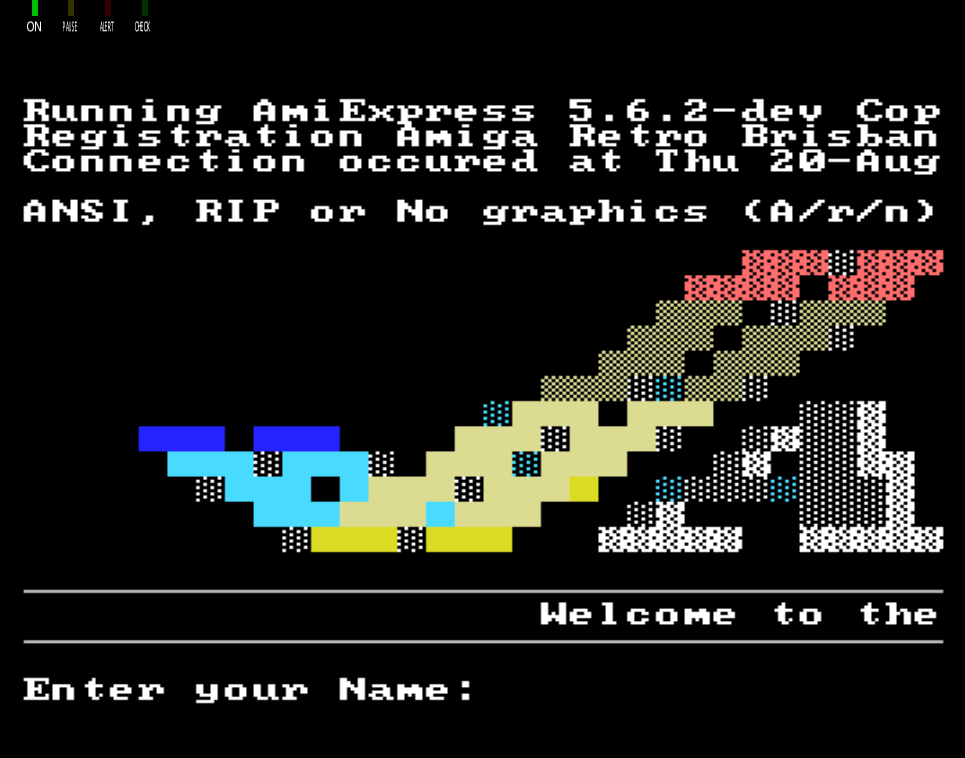
- ZModem receive -- working receive implementation with CRC-16; tested against AmiExpress and Mystic BBS systems on real NABU hardware. Received files written to the IA file store.
- Reconnect loop -- returns to the preset menu after each session ends
Location
Drive N : User 2
Files
Screenshots