Cloud CP/M
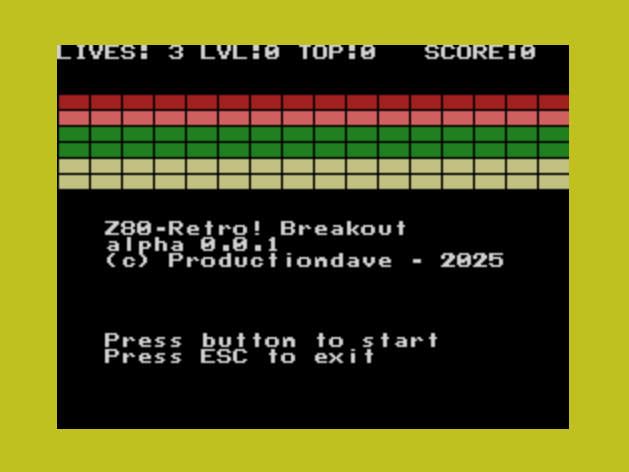
Breakout
Drive N : User 0 • by productiondave
Created 2026-05-04 • Updated 2026-05-04GitHubA homebrew Breakout Clone
BREAKOUT.COM is located on the N: drive in user area 0. To run this, look in the Internet Adapter or Headless menu and select Cloud CPM. After CPM loads and you are presented with an A:0> prompt, type the drive (N:), and then type the user area (user 0). If you type DIR, look for the COM file (BREAKOUT.COM). Enter that filename at the prompt to execute Breakout.
As breakout clones go, this one remains a little buggy. Apoligies in advance. I will fix it. One day.
Joystick only. Hit the ball - break the bricks. You know what to do.
There are two levels. The second level requries that each brick be hit twice to break.
Location
Drive N : User 0
Files (1)
Screenshots